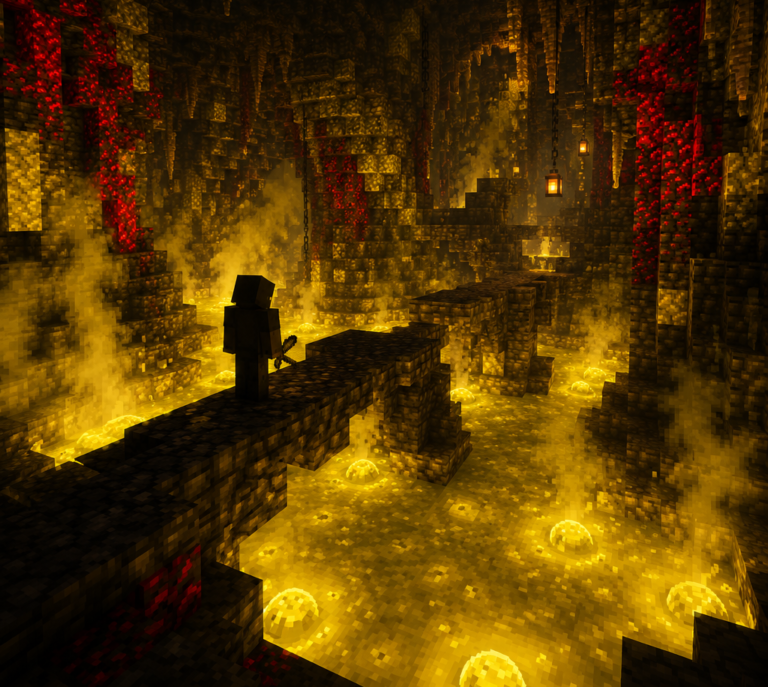
Ready to level up from placing blocks one by one to creating mind-blowing builds that’ll make your friends go “Wait, how did you DO that?” You’ve come to the right place! While Minecraft’s built-in tools are pretty decent, the real magic happens when you discover the world of advanced building software.
Think about it: why spend 50 hours terraforming a mountain by hand when the right tool can do it in 5 minutes? Whether you’re dreaming of massive cities, realistic landscapes, or those impossible-looking geometric builds you see on Reddit, these tools are your secret weapons.
I’m going to walk you through the essential software that serious builders swear by, rating each one honestly across five areas: how easy it is to learn, what cool stuff it can do, how well it performs, whether it’s worth your time (and money), and how much help you’ll get from the community. Fair warning: once you start using these tools, vanilla building might feel like trying to paint the Mona Lisa with a crayon!
Ready to join the ranks of builders who make the impossible look easy? Let’s dive into the toolkit that’ll transform your Minecraft experience. Many of these work perfectly with the building-focused mods we’ve covered before—think of this as completing your ultimate building arsenal.
What Makes a Building Tool Actually Worth Your Time?
Look, we’ve all been there—downloading some promising-looking tool only to rage-quit after 20 minutes because it’s either impossible to figure out or crashes every time you try to do something cool. So what separates the game-changers from the time-wasters?
Ease of Use is huge. I’m not saying every tool needs to be point-and-click simple, but if you need a PhD in computer science just to copy and paste a building, something’s wrong. The best tools have that sweet spot where they’re powerful but don’t make you want to throw your computer out the window.
Features That Actually Matter are what separate the pros from the pretenders. We’re talking mass editing that can reshape entire continents, selection tools that understand what you’re trying to do, and schematic support that lets you share your genius with the world. Bonus points if it plays nice with scripts and automation.
Performance is non-negotiable. Nothing kills creativity faster than a tool that crashes when you’re working on something amazing, or takes 10 minutes to process what should be a simple operation. Life’s too short for laggy software.
Value doesn’t always mean free (though free is nice). It means the tool actually delivers on its promises and doesn’t waste your time. Some paid tools are absolutely worth it; some free tools are gifts from the coding gods.
Community Support can make or break your experience. The best tools have communities full of people sharing tutorials, troubleshooting problems, and creating cool add-ons. Trust me, you’ll want that help when you’re trying to figure out advanced features.
These tools basically fall into a few camps: world editors for when you want to reshape reality itself, rendering software for making your builds look absolutely stunning, schematic tools for planning like an architect, and specialized utilities for those specific “I wish I could just…” moments. Getting familiar with different game modes helps you figure out which tools work best for your style.
Complete Tool Comparison Table
| Tool | Perfect For | What Makes It Awesome | My Rating | Setup Required |
|---|---|---|---|---|
| WorldEdit | Massive edits, pro building | Commands that bend reality | 4.6/5 | Mod/Plugin |
| Litematica | Planning like an architect | Build blueprints and material lists | 4.6/5 | Fabric Mod |
| MCEdit | Visual editing for beginners | Point-and-click simplicity | 4.2/5 | Download & Run |
| Chunky | Making your builds look amazing | Hollywood-quality renders | 4.2/5 | Download & Run |
| Amulet | Modern editing experience | Best user interface around | 4.2/5 | Download & Run |
| VoxelSniper | Organic terrain and art | Brush tools for natural building | 4.0/5 | Plugin |
| Structure Blocks | Console players, vanilla fans | Built right into Minecraft | 4.0/5 | None! |
| ReplayMod | Showcasing your work | Amazing cinematics and time-lapses | 3.8/5 | Mod |
In-Depth Reviews of Essential Building Tools
WorldEdit
What It Is: The undisputed king of world editing tools. If you’ve ever watched a YouTuber casually reshape an entire mountain in seconds, they were probably using WorldEdit. This is the tool that makes experienced builders look like wizards.
What Makes It Special:
- Mind-blowing selection tools—circles, spheres, even custom shapes you draw yourself
- Copy and paste functionality that works with structures the size of small cities
- Terrain generation that can create realistic mountains, valleys, and rivers
- Scripting support for when you want to automate the really crazy stuff
- Brush tools that let you “paint” with different blocks and effects
- An undo system that’ll save you from those “oh no, what did I just do?” moments
The Good Stuff:
- This is THE industry standard—every serious builder knows WorldEdit
- The command set is absolutely massive; if you can imagine it, WorldEdit can probably do it
- Constantly updated with new features and improvements
- Tons of tutorials and documentation online
- Plays nicely with pretty much every other building tool out there
The Reality Check:
- Holy learning curve, Batman—mastering this thing takes time
- Commands can be intimidating if you’re more of a visual person
- Requires some mod knowledge to set up for single-player (check our mod installation guide if you need help)
- One wrong command can accidentally delete half your build (but that’s what backups are for!)
My Take: WorldEdit is like learning to drive stick shift—intimidating at first, but once you get it, you’ll never want to go back to automatic. It’s absolutely essential if you’re serious about advanced building.
WorldEdit Rating Table
| Criteria | Score |
|---|---|
| Usability | 4/5 |
| Features | 5/5 |
| Performance | 4/5 |
| Value | 5/5 |
| Community Support | 5/5 |
| Overall | 4.6/5 |
MCEdit
What It Is: Think of MCEdit as WorldEdit’s more visual, user-friendly cousin. Instead of typing cryptic commands, you point, click, and drag your way to building greatness. Perfect for people who think better with their eyes than with command lines.
What Makes It Special:
- A proper 3D interface where you can see exactly what you’re selecting and editing
- Import and export tools that make sharing builds between worlds a breeze
- Filters that can automate repetitive tasks (goodbye, manually placing 10,000 blocks!)
- Works with every Minecraft version you can think of
- Handles those massive world modifications that would make in-game editors cry
The Good Stuff:
- Super intuitive if you’re used to any kind of 3D modeling software
- Perfect for beginners who find command-line tools intimidating
- Can handle editing jobs so big they’d crash other tools
- The filter system is genuinely brilliant for automation
- Doesn’t care what Minecraft version your world is from
The Reality Check:
- Development has been a bit on-and-off over the years
- Some advanced stuff still requires scripting knowledge
- You have to close Minecraft completely while editing (no live editing)
- Not quite as precise as command-line tools for complex geometry
My Take: MCEdit is like having a really good visual editor for your builds. It won’t do everything WorldEdit can, but for most builders, it’s way more approachable and gets the job done beautifully.
MCEdit Rating Table
| Criteria | Score |
|---|---|
| Usability | 5/5 |
| Features | 4/5 |
| Performance | 4/5 |
| Value | 5/5 |
| Community Support | 3/5 |
| Overall | 4.2/5 |
Chunky Renderer
Overview: Chunky transforms your Minecraft builds into stunning photorealistic images through advanced ray-tracing technology. This standalone rendering engine creates professional-quality showcases that highlight every detail of your architectural achievements.
Key Features:
- Advanced ray-tracing engine producing photorealistic lighting and shadows
- Customizable sky boxes, lighting conditions, and atmospheric effects
- Support for resource packs and custom textures
- Animation capabilities for creating time-lapse videos and walkthroughs
- Advanced camera controls including depth of field and motion blur
- Comprehensive material editing for realistic surface properties
Pros:
- Produces truly stunning, professional-quality renders
- Highly customizable lighting and atmospheric options
- Regular updates with new features and performance improvements
- Excellent documentation and tutorial community
- Free and open-source software
Cons:
- Steep learning curve for mastering advanced rendering techniques
- Requires powerful hardware for reasonable render times
- Limited real-time preview capabilities during setup
- Can be resource-intensive during rendering process
Chunky Renderer Rating Table
| Criteria | Score |
|---|---|
| Usability | 3/5 |
| Features | 4/5 |
| Performance | 4/5 |
| Value | 5/5 |
| Community Support | 4/5 |
| Overall | 4.0/5 |
Amulet Editor
Overview: Amulet represents the next generation of external Minecraft world editors, offering modern interface design and powerful editing capabilities. This actively developed tool focuses on user experience while maintaining professional-grade functionality.
Key Features:
- Modern, intuitive user interface with drag-and-drop functionality
- Support for multiple Minecraft editions including Java, Bedrock, and legacy versions
- Advanced selection tools with precise geometric controls
- Built-in structure library for quick access to common building elements
- Real-time preview of modifications before applying changes
- Comprehensive undo/redo system for safe experimentation
Pros:
- Most user-friendly interface among external editors
- Active development with frequent updates and new features
- Excellent cross-platform compatibility
- Strong focus on user experience and accessibility
- Growing community and plugin ecosystem
Cons:
- Newer tool with smaller community compared to established alternatives
- Some advanced features still in development
- Limited tutorial resources compared to mature tools
- Occasional compatibility issues with heavily modded worlds
Amulet Editor Rating Table
| Criteria | Score |
|---|---|
| Usability | 5/5 |
| Features | 4/5 |
| Performance | 4/5 |
| Value | 5/5 |
| Community Support | 3/5 |
| Overall | 4.2/5 |
Litematica
Overview: Litematica revolutionizes building planning and execution through advanced schematic tools and in-game overlay systems. This client-side mod helps builders plan, execute, and share complex builds with unprecedented precision.
Key Features:
- Advanced schematic creation and editing tools
- In-game overlay system showing block placement guides
- Multi-layer schematic support for complex builds
- Material list generation for planning resource requirements
- Sharing system for distributing schematics to other builders
- Integration with printer mods for automated building
Pros:
- Essential tool for planning and executing complex builds
- Excellent integration with Minecraft’s building workflow
- Active development with responsive developer community
- Comprehensive material planning features
- Works seamlessly with creative and survival building
Cons:
- Requires Fabric mod loader installation
- Learning curve for mastering schematic creation tools
- Some features require understanding of mod configuration
- Limited to Java Edition only
Perfect for builders working with our recommended creative building seeds, Litematica helps you plan massive projects before placing the first block.
Litematica Rating Table
| Criteria | Score |
|---|---|
| Usability | 4/5 |
| Features | 5/5 |
| Performance | 5/5 |
| Value | 5/5 |
| Community Support | 4/5 |
| Overall | 4.6/5 |
VoxelSniper
Overview: VoxelSniper brings artistic brush tools to Minecraft building, allowing for organic terrain creation and detailed sculpting work. This plugin-based tool excels at creating natural landscapes and artistic structures.
Key Features:
- Comprehensive brush system for terrain sculpting and detail work
- Advanced erosion and smoothing tools for realistic terrain
- Custom brush creation system for specialized building tasks
- Precise block placement tools for detailed architectural work
- Undo system for safe experimentation with brush effects
- Integration with permission systems for multiplayer building
Pros:
- Unmatched for creating organic, natural-looking terrain
- Excellent brush variety covers most sculpting needs
- Active community creating custom brushes and tutorials
- Works well alongside other building tools
- Powerful undo system prevents costly mistakes
Cons:
- Requires server setup or plugin-compatible client
- Learning curve for mastering brush techniques
- Limited usefulness for geometric or architectural building
- Requires understanding of plugin installation and configuration
VoxelSniper Rating Table
| Criteria | Score |
|---|---|
| Usability | 3/5 |
| Features | 4/5 |
| Performance | 4/5 |
| Value | 5/5 |
| Community Support | 4/5 |
| Overall | 4.0/5 |
For installation guidance, check our detailed mod installation guide which covers plugin setup processes.
Structure Blocks (Vanilla)
Overview: Often overlooked, Minecraft’s built-in Structure Blocks provide powerful building tools without requiring any mods or external software. Available in creative mode, these blocks offer legitimate building assistance that many players never discover.
Key Features:
- Built-in copy, paste, and save functionality for structures
- Rotation and mirroring options for architectural symmetry
- Structure void blocks for partial building templates
- Integration with command blocks for automated building
- Cross-world structure sharing through structure files
- No modification or installation required
Pros:
- Available in vanilla Minecraft without any modifications
- Perfect for console players without mod access
- Reliable and stable as part of core game functionality
- Excellent for learning advanced building concepts
- Works seamlessly with all game features
Cons:
- Limited size constraints compared to modded alternatives
- Requires creative mode or operator permissions
- Less powerful than dedicated external tools
- Limited discovery due to hidden nature in creative inventory
Understanding Structure Blocks becomes much easier when you’ve mastered Minecraft’s control system across different platforms.
Structure Blocks Rating Table
| Criteria | Score |
|---|---|
| Usability | 4/5 |
| Features | 3/5 |
| Performance | 5/5 |
| Value | 5/5 |
| Community Support | 3/5 |
| Overall | 4.0/5 |
ReplayMod
Overview: While primarily known for recording gameplay, ReplayMod offers unique building planning and showcase capabilities. This tool helps builders document their process, plan complex builds, and create stunning promotional content.
Key Features:
- Time manipulation for observing build progression and planning
- Advanced camera system for cinematic showcase creation
- Path recording for consistent documentation and tutorials
- Integration with shader packs for enhanced visual quality
- Export capabilities for creating promotional videos
- Multiplayer recording for collaborative build documentation
Pros:
- Unique perspective on building planning and documentation
- Excellent for creating build tutorials and showcases
- Active development with regular feature updates
- Strong community creating educational content
- Free and open-source tool
Cons:
- Primarily a recording tool rather than direct building assistant
- Learning curve for mastering camera and editing features
- Resource-intensive during recording and rendering
- Limited direct building functionality
ReplayMod Rating Table
| Criteria | Score |
|---|---|
| Usability | 3/5 |
| Features | 4/5 |
| Performance | 3/5 |
| Value | 5/5 |
| Community Support | 4/5 |
| Overall | 3.8/5 |
How to Pick Your Perfect Building Toolkit
Choosing tools isn’t about collecting them all like Pokémon—it’s about finding the ones that actually fit how you like to build. Here’s how to figure out what you need:
If You’re All About Those Massive Projects (cities, full-scale recreations, terraforming entire continents), WorldEdit is non-negotiable. Add MCEdit or Amulet for the heavy lifting that even WorldEdit finds challenging, and Chunky to show off your finished masterpieces.
Creative Mode Enthusiasts should buddy up Litematica and WorldEdit—they’re like peanut butter and jelly for creative building. Litematica handles the planning and WorldEdit handles the “holy cow, how do I actually build this thing?” part. These work amazingly well with carefully chosen creative worlds that give you perfect starting terrain.
Survival Builders (respect!) should focus on Litematica for planning your builds before you spend 6 hours mining materials, plus ReplayMod to document your epic building journey. Structure Blocks are perfect since they won’t interfere with that pure survival experience we cover in our survival building guide.
Artists and Organic Builders creating natural landscapes, flowing architecture, or anything that looks like it grew rather than was built—VoxelSniper is your new best friend for terrain work, and Chunky will make your organic masterpieces look absolutely stunning.
Console Players aren’t left out! Structure Blocks are built right in, and they’re honestly more powerful than most people realize.
Pro Tips for Actually Mastering These Tools
Here’s the thing about building tools—they’re like musical instruments. Having a $3000 guitar doesn’t make you Jimi Hendrix, and downloading WorldEdit doesn’t instantly make you a master builder. But here’s how to get there faster:
Always Start with Planning. Seriously, I cannot stress this enough. Use Litematica or sketch things out externally before you start placing blocks. I’ve seen too many amazing builds die because someone jumped straight into WorldEdit without thinking it through. Know your biome’s characteristics if you want your build to look natural in its environment.
Learn Those Keyboard Shortcuts. You’ll feel like a superhero once you can fly through commands without thinking. Most pro builders develop muscle memory for their favorite tools—their hands move faster than their conscious mind can follow.
Backup Everything. No, Really. EVERYTHING. These tools are powerful enough to accidentally delete weeks of work in about 0.3 seconds. Create world backups before any major editing session, and learn each tool’s undo system like your building life depends on it (because it does).
Start Small, Dream Big. Don’t try to recreate Middle Earth on your first day with WorldEdit. Start with simple projects and gradually work up to the crazy stuff. Each tool has hidden depths you’ll only discover through hands-on experience.
Find Your Community. Join Discord servers, Reddit communities, or YouTube channels where advanced builders hang out. The learning curve gets way less scary when you’ve got people to ask for help and share cool techniques with.
Ready to Transform Your Building Game?
Here’s the bottom line: the gap between “that’s a nice build” and “HOLY COW HOW DID YOU DO THAT?!” usually comes down to knowing the right tools and actually using them. These aren’t just fancy toys for showing off—they’re genuine game-changers that free you up to focus on the creative stuff instead of spending 6 hours placing dirt blocks one by one.
My advice? Start with WorldEdit because it’s the Swiss Army knife of building tools, then add Litematica if you like planning things out (and who doesn’t love a good material list?). Once you’re comfortable with those, Chunky will blow your mind with what your builds can actually look like when properly showcased.
The time you invest learning these tools pays off exponentially. Every build becomes faster, more ambitious, and honestly way more fun when you’re not fighting against the limitations of vanilla building.
And hey, if you want to see how Minecraft building translates into the physical world, check out our guide to LEGO Minecraft sets—there’s something pretty cool about seeing your digital building skills work with actual bricks too.
Ready to blow some minds with your next build? Grab WorldEdit and Litematica and start experimenting. And don’t forget to browse through our essential building mods collection for even more ways to supercharge your building toolkit.
Trust me, once you go advanced tools, you never go back. Your future building self will thank you!
Quick Note: Some of the tools mentioned here have affiliate links that help support our content creation. Every recommendation comes from genuine hands-on testing and community feedback—we only suggest stuff we’d actually use ourselves.