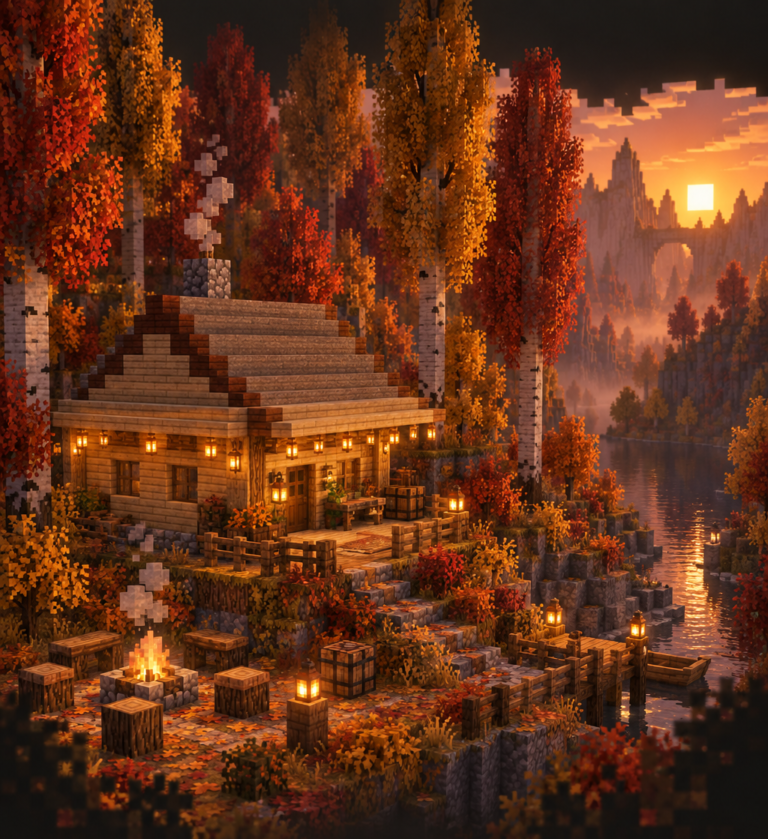
Minecraft has always rewarded players who think carefully about how things look. From the deliberate choice of a warm stone palette over grey cobblestone to the precise placement of a light source inside a cosy alcove, the visual decisions you make define your builds as much as the structural ones. So when Mojang announces a major graphics overhaul built directly into the game engine, it is worth pausing to think about what actually changes for builders who already take aesthetics seriously.
Vibrant Visuals, arriving as part of the 1.21.6 “Chase the Skies” update, is that overhaul. It is not a mod, not a paid add-on, and not a feature locked to one platform alone. It is Mojang’s own answer to the question that shader-pack builders have been answering themselves for years: what should Minecraft actually look like when the lighting engine is doing its best work?
This post may contain affiliate links. As an Amazon Associate I earn from qualifying purchases.
What Vibrant Visuals Actually Is (And Is Not)
Before getting into the implications for builders, it is worth being clear about the scope. Vibrant Visuals is an optional graphics mode, selectable alongside Fast and Fancy in the Video or Graphics Mode settings in Bedrock Edition, with Java Edition support confirmed for a later date. It is entirely cosmetic. Mob spawning rules, crop growth rates, daylight sensor behaviour, and every other light-level mechanic remain completely unchanged. Turning it on or off in multiplayer is a personal choice; your settings do not affect anyone else’s session, and servers do not need to enable anything.
What it actually does is overhaul the way light interacts with the world. Mojang describes the project as re-evaluating every texture in the game for how it behaves under improved lighting conditions. The headline features are directional lighting with individual block shadows that move as the sun arcs across the sky, volumetric fog, reflective water with visible refraction, and emissive textures that give certain blocks and mobs a visible glow. Light passing through glass and water creates highlight bands on nearby surfaces. Torches carve more dramatic illuminated paths through dark interiors. Spider and Enderman eyes catch the light at night in ways that were previously flat.
The honest way to think about it: Vibrant Visuals is not trying to compete with the highest-end community shader packs. It is Mojang’s performance-aware, style-preserving alternative to that ecosystem, designed to work across a much wider range of hardware without abandoning what makes Minecraft look like Minecraft.
Three Tiers of Minecraft Visuals
For builders, understanding where Vibrant Visuals sits relative to other options is genuinely useful. There are now effectively three tiers to consider.

Vanilla Without Shaders
The baseline most of us have been building in for years. Lighting is flat by modern standards, with no real directionality to shadows, limited water behaviour, and glass that does not significantly interact with adjacent surfaces. This remains the most universally supported and consistent-performance option, and it is where every screenshot tutorial, thumbnail trick, and community showcase has been developed over the past decade.
Its limitations are real but also well-understood. You learn to compensate. You choose block palettes partly based on how they look under these flat lighting conditions. A lot of what players call “good Minecraft building instincts” is actually very good vanilla lighting instinct.
Vibrant Visuals
The middle tier, and the new one. It adds shader-style lighting and reflections to the base game with two significant advantages over community packs: it is officially supported and does not break between updates, and it is designed to run on a much broader hardware range than most serious shader setups. Console and mobile players on compatible devices can now achieve what previously required a capable PC and a mod loader.
Community reaction so far suggests it lands in a genuinely appealing place. The consensus seems to be that it feels like Minecraft rather than replacing it, which is precisely the balance Mojang was attempting. The grid-aligned shadows and the commitment to preserving vanilla readability mean it does not slide into the hyper-realistic territory that some builders want to avoid.
Full Shader and Texture Pack Setups
The third tier remains the ceiling. Third-party shader packs combined with high-resolution texture packs can produce near-photorealistic results that rival professional 3D renders. The interiors photography on Modern Minimalist Minecraft Interiors That Feel Warm and the structural complexity shown in Building Massive Structures in Minecraft: Planning and Execution illustrate how far builders have taken vanilla Minecraft with community tools. This tier still outperforms Vibrant Visuals in raw visual quality, but it demands a capable system, requires maintenance across updates, and can drift far enough from the vanilla aesthetic that it stops feeling like the same game.
For builders who want maximum control and maximum quality and have the hardware to support it, community shaders remain the tool of choice. For everyone else, Vibrant Visuals just became genuinely compelling.
What Changes for Your Builds
The practical implications depend heavily on what you build and how you think about aesthetics.
Materials Will Behave Differently
Mojang’s stated goal was to re-evaluate every texture’s lighting response. Stone, copper, dirt, and obsidian are all cited as materials that will now behave differently under Vibrant Visuals compared to vanilla. This matters for palette work. Materials you have been choosing for their vanilla appearance may look significantly richer under the new system, and the visual weight of different blocks in the same palette will shift. If you have developed a feel for how to layer stone variants to create texture and depth in vanilla, that instinct will need recalibration.
Copper in particular benefits visibly. The existing weathering states were already one of the most interesting material progressions in the game, and directional lighting alongside genuine reflective behaviour is going to make copper detailing far more rewarding. If you have been holding off on committing to copper as a primary roofing or facade material, the aesthetics case just got much stronger.
The interiors work explored in Minecraft Lighting Design: Creating Mood and Atmosphere takes on new dimensions here. The emissive behaviour of glow berries, sculk, and torches under Vibrant Visuals means that the light-as-decoration philosophy goes from approximation to something closer to what was intended.
Screenshots and Content Creation Change Significantly
This is arguably where the impact is largest for serious builders, and it is worth being direct about it. If you create content around your builds or simply want screenshots that reflect your actual aesthetic intentions, Vibrant Visuals changes the toolkit considerably.
The most obvious change is that Bedrock builders, particularly on consoles, now have access to cinematic-quality screenshots without mods. Previously, producing a screenshot that matched the visual quality of top-tier Java shader content required a fairly specific setup. That gap has narrowed substantially.
For builders on any platform, Vibrant Visuals introduces the ability to design screenshots rather than simply take them. Glass now casts coloured highlights onto adjacent surfaces. Foliage creates genuine dappled shadow. Emissive blocks become natural focal points in low-light compositions. Water reflects surrounding structures in ways that can anchor an aerial shot of a harbour or waterfront build. These are compositional tools that previously required shader packs and, ideally, some camera mod setup to exploit properly.
The practical upshot is that the gap between “what this build actually looks like to me while I am playing” and “how I can present it in a screenshot” gets much smaller. Builds photographed in Vibrant Visuals should need less creative explanation.
Interior Design Reads More Clearly
For builders focused on interiors, the shift may be the most significant of all. Vanilla interior lighting has always involved a kind of negotiation: you know what mood you are aiming for, but flat lighting means you are working around the engine’s limitations as much as with them. The guide to Interior Design in Minecraft: Making Spaces Feel Lived-In covers exactly how much labour goes into making vanilla interiors read correctly.
Vibrant Visuals does not eliminate that craft, but it removes several of the biggest constraints. Light sources now genuinely influence the feel of a room rather than simply setting a brightness threshold. A fireplace or a cluster of lanterns creates warmth rather than an even glow. The differentiation between a well-lit practical space and an atmospherically lit lounge becomes achievable without over-designing around engine limitations.
For players working on The Best Realistic Minecraft Texture Packs for Modern Interiors, it also means that texture packs designed to enhance material response will now have an actual lighting engine to work with rather than vanilla’s flat illumination as a base.
Accessibility and Device Considerations
Vibrant Visuals is not universally available across all hardware. Mojang has confirmed it is limited to compatible devices, which in practice means Xbox Series X and S, PS5 and PS5 Pro, modern Windows PCs, and higher-end Android and iOS devices. Lower-end hardware may see the option greyed out or may run it poorly enough that the toggle is effectively unavailable.
This is worth being honest about. The 1.21.6 update does not mean every Bedrock player gets enhanced visuals overnight. If you share your content or collaborate with a community that spans hardware generations, some players will be seeing builds in vanilla while you are seeing them in Vibrant Visuals, and that can create a real mismatch in visual expectations.
The toggle structure does solve one meaningful accessibility issue, though. Players who prefer consistent lighting for any reason, whether that is performance, visual preference, or sensory considerations, can switch back to vanilla at any time with no impact on their gameplay. The choice is entirely personal.
What Stays the Same
Perhaps the most important thing to understand about Vibrant Visuals for builders who have invested significant time developing a visual sensibility under vanilla conditions: the fundamentals of good Minecraft building do not change.
Scale, proportion, material contrast, the logic of a build’s silhouette, the use of depth and layering to avoid flat facades, the relationship between structure and surrounding landscape. None of that is altered by lighting engine improvements. The principles in Minecraft Architecture: From Blocks to Blueprints remain as applicable under Vibrant Visuals as they were before it.
What changes is the ceiling on how that craft can be expressed visually. The builders who have been producing exceptional work under vanilla constraints will be the ones best positioned to take advantage of what Vibrant Visuals offers, because they already understand the material and light logic that the new system makes more legible.
For builders working across both creative platforms, the tools referenced in Essential Tools for Advanced Minecraft Building: The Complete Software Guide are equally relevant here. Planning large-scale builds, working with mods and external editors, and documenting projects for sharing are all activities that benefit from understanding how your content will look at every stage.
Looking Ahead: Java Edition and the Broader Ecosystem
Java Edition support is confirmed for a later date. This matters particularly for builders working in the more technically complex end of the game, where WorldEdit, Litematica, and the broader mod ecosystem live. When Vibrant Visuals arrives on Java, it will join rather than replace the existing shader and texture pack ecosystem, giving creators an officially supported baseline lighting look that they can rely on between updates.
The more interesting question for serious builders is how this affects the visual language of the community over time. If a meaningful proportion of players are now seeing Minecraft through Vibrant Visuals rather than vanilla, the context in which builds are shared and judged shifts. Screenshots that were compelling under vanilla may look different. The compositional instincts that developed around flat lighting may need updating.
That is not a problem. It is an opportunity to recalibrate and discover what becomes possible when the engine is working with you rather than around you.
Continue Your Journey
- Minecraft Lighting Design: Creating Mood and Atmosphere — A deep dive into using light sources intentionally to create atmosphere, directly applicable to Vibrant Visuals workflows.
- Interior Design in Minecraft: Making Spaces Feel Lived-In — Principles for Minecraft interior design that become even more powerful with improved lighting engine support.
- The Best Realistic Minecraft Texture Packs for Modern Interiors in 2025 — Which texture packs pair best with improved base-game lighting, and how to layer them effectively.
- Minecraft Architecture: From Blocks to Blueprints — The foundational building principles that remain relevant regardless of what the lighting engine is doing.
- April 2026 Roundup: What’s New in Minecraft — The latest monthly Minecraft news, including updates on 1.21.x and what is coming next.
What aspect of Vibrant Visuals are you most interested in for your own builds: the material changes, the interior atmosphere, or the screenshot possibilities? Drop a comment below.
Want Minecraft building analysis, news, and techniques delivered to your inbox? Subscribe to the Bricks and Blocks Creative newsletter for weekly coverage.